Automotive & Classifieds

How to Cut Out Car Photos for Online Dealerships and Classifieds

A complete guide for dealerships and private car sellers on removing distracting backgrounds from vehicle photos to increase buyer leads and listing views.

RN

Written by Rachid Nichan

Founder & Lead Developer

September 28, 20266 min read
How to Cut Out Car Photos for Online Dealerships and Classifieds

Why Backgrounds Matter in Automotive Sales

Whether you run an independent auto dealership or are selling your personal vehicle on AutoTrader, Craigslist, Bring a Trailer, or Facebook Marketplace, your photographs directly dictate buyer interest.

Automotive photography presents unique visual challenges:

  • Vehicles are typically photographed on dealer lots with adjacent cars, light poles, dumpsters, or highway traffic visible in the background.
  • Reflective paint, curved chrome trim, and glass windows pick up environmental clutter.
  • Cluttered backgrounds distract buyers from assessing the vehicle's true condition and finish.
  • Dealership studies consistently reveal that listings featuring a standardized, clean digital showroom backdrop experience higher click-through rates and faster inventory turnover.


    Challenges in Vehicle Cutouts (And How to Handle Them)

    Vehicles have intricate contours that require precise isolation:

  • Tire Contact and Shadows: A car floating in white space without tire grounding looks artificial. A quality cutout must preserve the natural shadow under the rubber treads.
  • Glass Transparency: Tinted and clear windshields often reveal the distracting background through the cabin glass.
  • Reflective Body Panels: Metallic paint edges can blend into surrounding pavement or sky colors if edge contrast is low.

  • Step-by-Step Vehicle Background Removal

    Step 1: Shoot the Car from Key Angles

    For maximum buyer confidence, capture the standard 8-angle walkthrough:

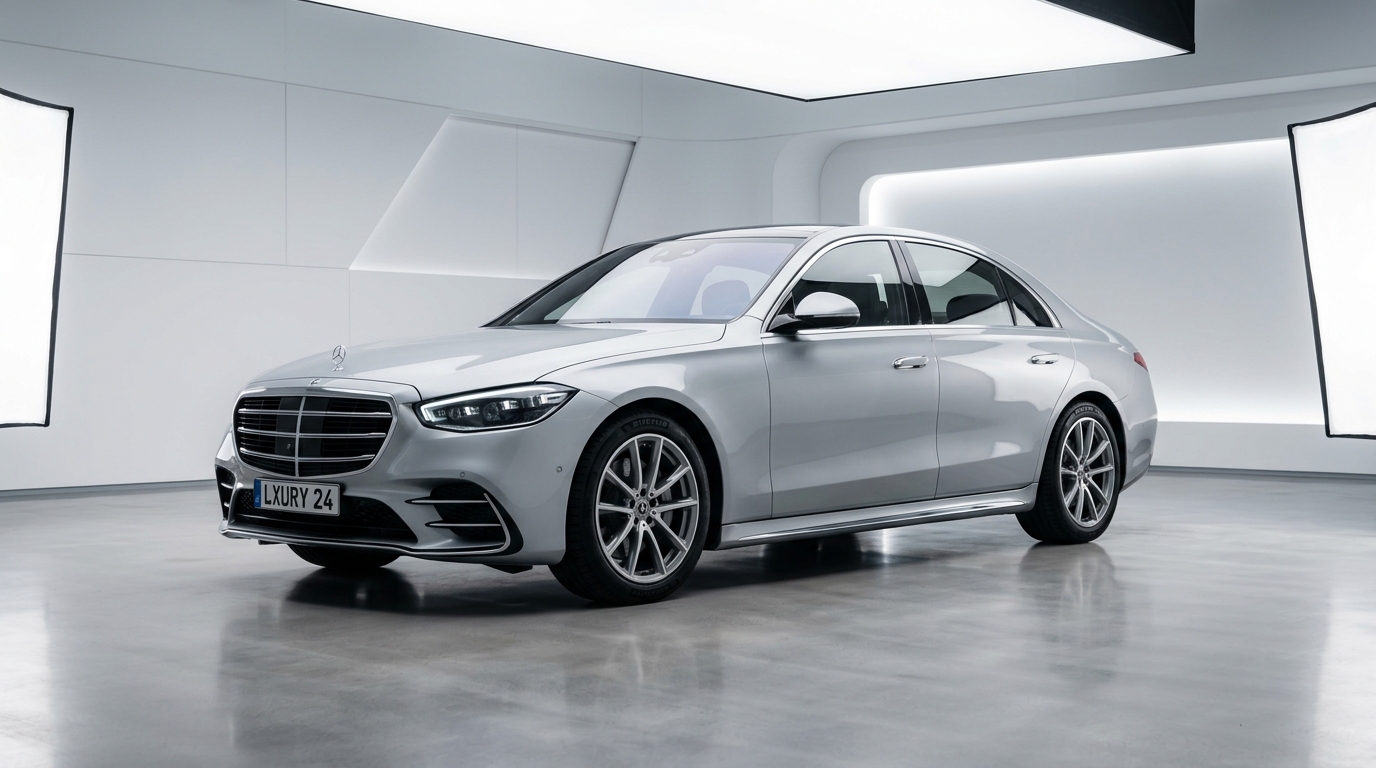
  • Front 3/4 view (the primary hero thumbnail).
  • Direct front and rear view.
  • Side profile (both driver and passenger sides).
  • Close-up of wheels, rims, and tire tread depth.
  • Interior and engine bay.
  • Shooting tip: Turn the front wheels slightly toward the camera when shooting 3/4 angles to showcase the rim design and tire profile.

    Step 2: Process the Photo with Remove Backgrounds Online

  • Go to Remove Backgrounds Online.
  • Upload your vehicle photo.
  • The processing engine isolates the car body, mirrors, spoilers, and wheels from the surrounding lot or driveway.
  • Download the transparent PNG cutout.
  • Step 3: Place on a Clean Virtual Showroom or Studio Floor

    With the transparent car cutout saved, you can:

  • Place the vehicle on a neutral light-gray or textured asphalt surface with a soft ground shadow.
  • Insert a consistent branded dealership background banner displaying your logo, phone number, and inspection badges.
  • Keep the catalog uniform so every vehicle in your digital inventory looks like it was photographed in the same multi-million dollar studio.

  • Automotive Marketplace Listing Checklist

    AspectRecommendation
    Primary Hero ImageFront 3/4 angle on clean neutral background
    ResolutionMinimum 1920 x 1080 pixels (Full HD)
    Aspect Ratio16:9 or 4:3 landscape orientation
    FormatPNG for clean overlays or high-quality JPEG
    LightingEven overcast daylight to minimize harsh hot spots

    By leveraging Remove Backgrounds Online, dealerships and private sellers can turn rough parking lot snapshots into high-end showroom presentations in seconds—completely free of charge.

    Instant 1-Click Background Removal

    Try It on Your Photos for Free

    Remove backgrounds from products, portraits, cars, and signatures in 1 click. Zero watermarks, full HD resolution, completely free.

    Upload Image Now
    RN

    About the Author: Rachid Nichan

    Rachid Nichan is a web developer and the creator of Remove Backgrounds Online. He designs high-speed, privacy-first web utilities to help e-commerce entrepreneurs, designers, and professionals optimize digital imagery effortlessly.