E-Commerce

How to Remove Backgrounds from Product Photos for Shopify, Amazon, and eBay

A complete seller guide to creating high-converting product photos with pure white and transparent backgrounds for Amazon, Shopify, and eBay without paying for software.

RN

Written by Rachid Nichan

Founder & Lead Developer

September 28, 20266 min read
How to Remove Backgrounds from Product Photos for Shopify, Amazon, and eBay

Why Product Image Backgrounds Make or Break E-Commerce Sales

When shopping online, buyers cannot touch, feel, or inspect your merchandise physically. Your product photography serves as the digital storefront and primary proof of quality.

Industry data consistently demonstrates that listings featuring clean, distraction-free backgrounds generate significantly higher conversion rates:

  • Amazon requires pure white backgrounds (RGB 255, 255, 255) on primary images as part of strict seller compliance. Failure to comply can suppress your listing from search results.
  • Shopify and WooCommerce stores benefit immensely from transparent PNG product cutouts, allowing items to blend seamlessly into customized brand themes, sale badges, and responsive layouts.
  • eBay and Etsy search algorithms favor high-contrast imagery where the subject stands out sharply against clean backdrops.
  • In this guide, we will examine how to achieve professional marketplace-standard cutouts in seconds without expensive studio equipment or subscription software.


    Marketplace Image Standards at a Glance

    PlatformMain Image RequirementRecommended FormatBackground Color
    AmazonMandatory isolated productJPEG or PNG (1000px+ width)Pure White (RGB 255, 255, 255)
    ShopifyFlexible brand designTransparent PNG or WebPTransparent or brand neutral
    eBayHigh-contrast isolated itemJPEG / PNG (1600px ideal)White or light neutral
    Google ShoppingUncluttered single itemPNG / JPEG (800x800px min)Solid white / off-white

    Step-by-Step: Removing Product Backgrounds for Free

    Step 1: Capture Your Source Photo with Good Contrast

    You do not need a DSLR camera. A modern smartphone camera is more than sufficient. For best results:

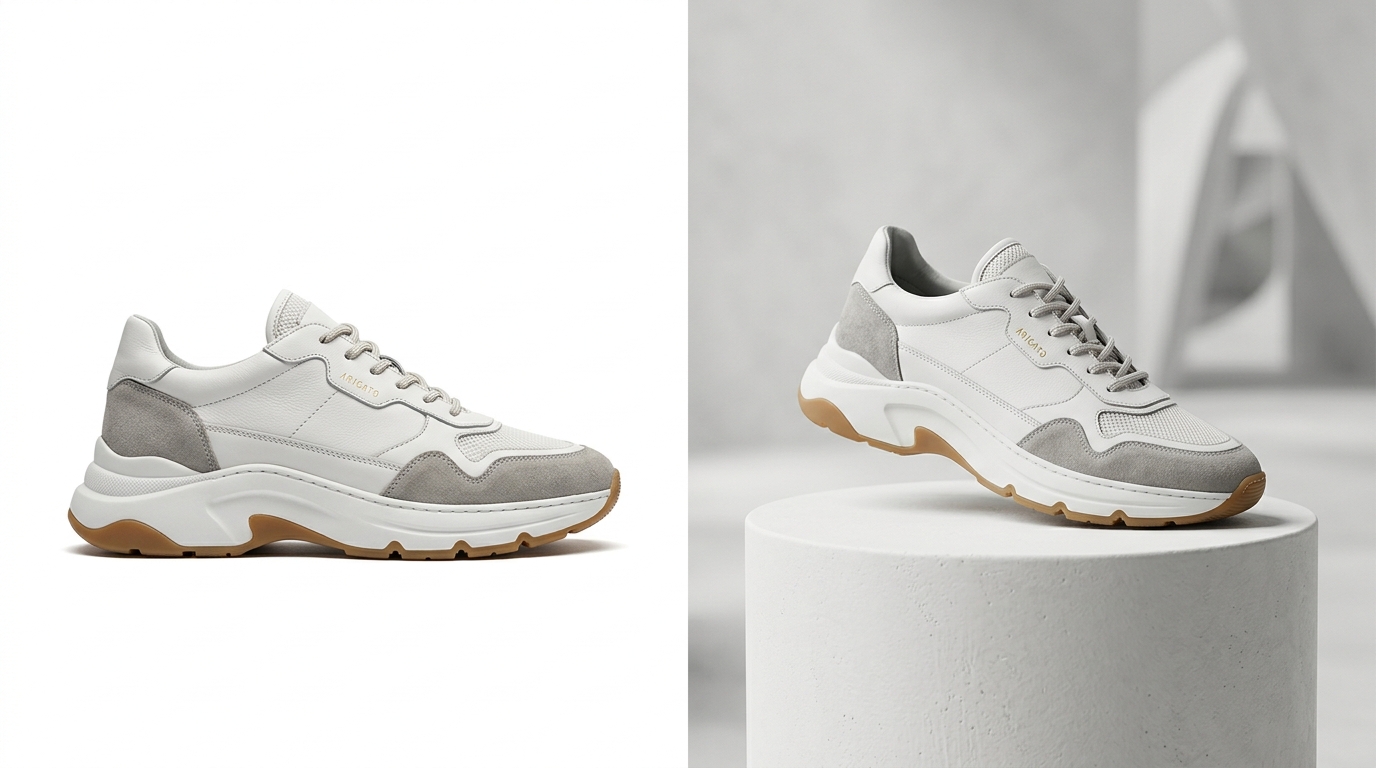
  • Place the item on a surface that contrasts with the product color (e.g., do not photograph a white shoe against a white wall).
  • Ensure diffuse, even lighting to minimize harsh dark shadows across the base.
  • Keep the camera parallel to the subject to avoid perspective distortion.
  • Step 2: Upload to Remove Backgrounds Online

  • Open Remove Backgrounds Online.
  • Drag and drop your product photo directly into the upload area or click Upload Image.
  • The platform instantly processes the image in memory, separating your merchandise from the original surface with pixel-level boundary detection.
  • Step 3: Inspect Edges and Fine Details

    Check key product contours:

  • Handles, straps, and delicate contours.
  • Reflective surfaces (glass, stainless steel, jewelry).
  • Textured materials (fabric weave, leather grain).
  • Our high-precision cutout engine retains fine edge micro-details without haloing or jagged pixel artifacts.

    Step 4: Download Your HD Transparent PNG

    Click Download Result to save your lossless transparent PNG. Because Remove Backgrounds Online preserves original image dimensions without forced downscaling or watermarks, your file is immediately ready for marketplace upload or further graphic layout.


    Pro Tips for Maximum Marketplace Conversions

  • Maintain Consistent Canvas Ratios: Standardize your catalog on square 1:1 ratios (e.g., 2000 x 2000 pixels). This ensures uniform grid alignment across mobile and desktop browsing.
  • Add a Subtle Grounding Shadow: If placing your transparent cutout onto a pure white Amazon background, add a soft 5% drop shadow beneath the product base so it feels grounded rather than floating.
  • Optimize File Sizes for Fast Page Speed: For Shopify stores, run your final PNG through a lossless compressor or convert to WebP to maintain lightning-fast core web vitals and mobile load speeds.
  • By utilizing a fast, free online tool like Remove Backgrounds Online, you eliminate hours of manual pen-tool clipping in Photoshop and ensure your catalog looks polished, professional, and marketplace-compliant.

    Instant 1-Click Background Removal

    Try It on Your Photos for Free

    Remove backgrounds from products, portraits, cars, and signatures in 1 click. Zero watermarks, full HD resolution, completely free.

    Upload Image Now
    RN

    About the Author: Rachid Nichan

    Rachid Nichan is a web developer and the creator of Remove Backgrounds Online. He designs high-speed, privacy-first web utilities to help e-commerce entrepreneurs, designers, and professionals optimize digital imagery effortlessly.